How I riced dwm
Note, this is a really old blog post and isn’t really representative of my current workflow, this is here for preservation purposes only
What is ricing / Window Managers⌗
Any attempt at me explaining this will probably cause more confusing, so I recommend you read this
Back story⌗
i3wm was the first wm I ever used
dwm was the second window manager I used after I (accidentally) formatted my Ubuntu partition
Suckless software⌗
Suckless software is pretty interesting, it is based on very minimalist software
For it to be usable for basically anyone you’re going to need to patch the source code for basic functionality and rebuild, that’s the workflow for all suckless software
You can read about their philosophy here, I don’t think it’s all good, but some of the software is quite useful.
The actual rice⌗
My rice with through many iterations but I’m just going to put what I more or less finished with here
I used these patches:
dwm-activetagindicatorbar-6.2.diff
dwm-actualfullscreen-20191112-cb3f58a.diff
dwm-attachaside-6.1.diff
dwm-autostart-20200610-cb3f58a.diff
dwm-bar-height-6.2.diff
dwm-colorbar-6.2.diff
dwm-fixborders-6.2.diff
dwm-pertag-perseltag-6.2.diff
dwm-rotatestack-20161021-ab9571b.diff
dwm-vanitygaps-mod-6.2.diff
I definitely have lots of patches in my config and I don’t use all of them anymore but I’ll summarize why I use each
- Active Tag Indicator
- Makes the top bar look nicer than the default one
- Actual Full Screen
- Has a system for making windows full screen within another layout instead of other solutions
- Attach Aside
- Makes it so new windows are a spawned as a stack window instead of the master (larger) window
- Autostart
- Simple and sweet, runs a script located in
~/.dwm/autostart.shevery time dwm starts
- Simple and sweet, runs a script located in
- Bar Height
- Another visual bar modification, lets me pick the high as I with
- Colorbar
- Sets more color variables, so they are not shared (lets me make the bar background one solid color)
- Fixborders
- Odd patch I think should be upstream at this point, makes it so the borders render property with a compositor and some weird cases
- Pertag Perseltag
- Lets me have a different layout, master size and stack size, ect. on each tag
- Rotate Stack
- Lets me rotate a window through the stack, kind of regretful of using this patch but I can’t be bothered to change it
- It didn’t do what I actually wanted which was to swap between two windows, it’s hard to explain but it moved the entire stack with it (which is what the rotating meant)
- Vanity Gaps (mod)
- This is an interesting one, it is a modification for vanity gaps that adds layouts that are written to work with the gaps
That was a very long list to write
Other tools I use with this⌗
I use a compositor (picom) and a bunch of other things in startup
I use dmenu as a launcher in combination with j4-dmenu-desktop to open .desktop files with dmenu
I use the default dwm bar and use i3blocks to set its contents
I have
- Clock
- A
playerctlscript (to see currently playing content) - And a script to show COVID cases where I live
- (not showing this since it will date this post a lot)
Functionality⌗
Unlike my first wm, dwm is not manual
This means that placement is automatic, you don’t have to specify horizontal or vertical positioning
Instead you pick a layout which then defines where each window goes
It isn’t as fine controlled as manual tiling but in practice it is a lot more practical
Visual Appearance⌗
This rice looks like this
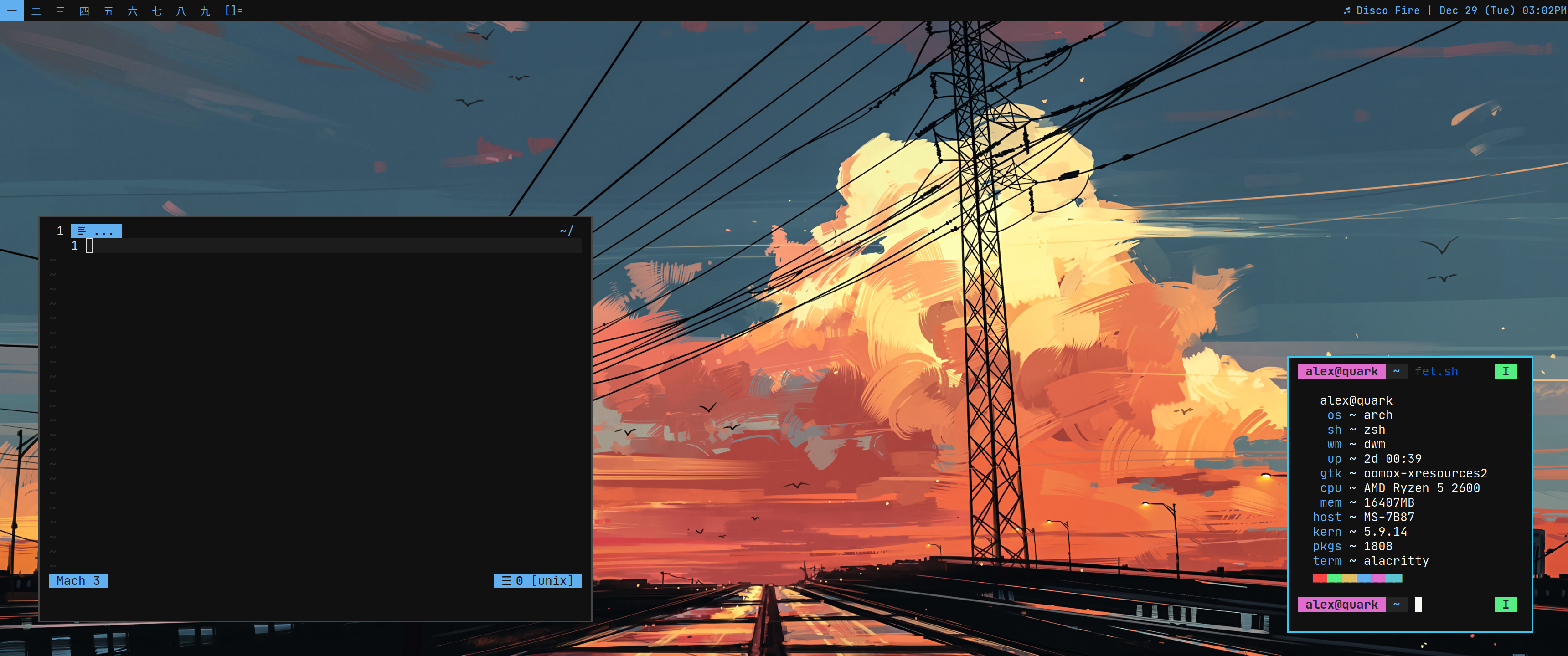
- I must note that the rice is broken right now since I haven’t used it in a while and my setup has changed a lot
I use my colors that are based on onedark and some custom colors I picked with the help of others
I affectionately call it Toodark since I get many complains about the insane contrast (with the background being #111111)
I use East Asian Characters (they’re not just Japanese!) for the tag numbers because anything else didn’t look as pretty
For the font I use JetBrains Mono (Nerd Font) it’s basically the font I use for all monospaced stuff
Problems⌗
dwm has some problems like any window manager
I’m not even talking about the suckless philosophy and patching
I’m talking about something I don’t hear discussed nearly enough around windows mangers
It’s about compatibility, it may seem like I’m nitpicking at points but I’ve had various issues like this before
- Java applications not cooperating well (this affects quite a few things but it’s as easy as renaming the window manager to LG3D and or this)
- Windows not going where’d you expect, this is kind of specific but sometimes windows wanted to float when they shouldn’t but dwm has ok rules by default on this, future wms I discuss may not
Conclusion⌗
For as painful as it looks to set up the config outside of patching is very painless and it’s a dead simple introduction to dynamic window managing